Zeitlich begrenzt 30% Rabatt!Angebot sichern

Grok Imagine Image 2.0 Kampagnen-Stills-Desk auf Imagine Image Grok Imagine Image 2.0

Text-zu-Bild und Bild-zu-Bild mit vorausgewähltem Image 2.0 — erste Heroes, gezielte Review-Korrekturen und Multi-Tile-Sets in einer Bibliothek.

Diese /image-Route ist der Stills-Arbeitsplatz von Imagine Image für Grok Imagine Image 2.0: aus einer Media-Vorgabe ein downloadbares Bild machen, das Detail nachbessern, das Stakeholder wollten, und Varianten in derselben History behalten. Kostenlose Credits öffnen den Desk — keine Karte nötig. Wechsle Modelle nur, wenn die Vorgabe einen anderen Look will.

  • Headline-Text, der im Bild lesbar bleibt
  • Ein-Punkt Bild-zu-Bild nach dem Review
  • Karussell- und Pack-Sets in einem Thread
  • Kostenlose Credits zum Einstieg — ohne Karte
Grok Imagine Image 2.0 Produkt-Hero — links weiche Typo, rechts Porzellan-Kamera-Skulptur
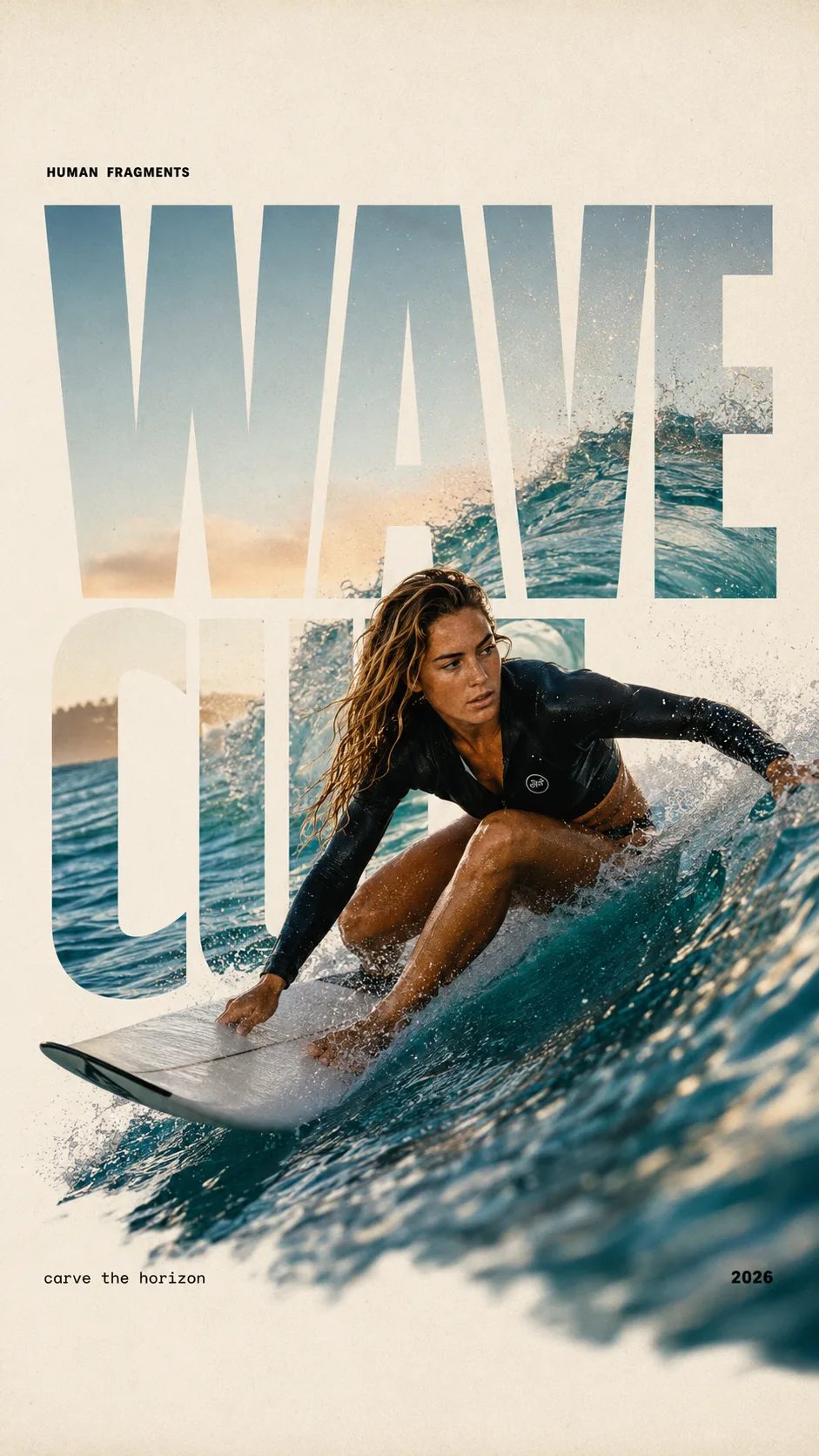
HUMAN FRAGMENTS editorial poster sample

Create a 9:16 editorial poster in the HUMAN FRAGMENTS visual system. Theme: [surfing / basketball / boxing / cake decorating] Subject: [gender, age, appearance, outfit] Action: [specific movement or handcraft] Scene: [location and environment] Title: [custom two-word title] Supporting line: [one short phrase] Year: 2026 Use oversized cropped typography as the main structural framework. The letters should act as windows that reveal the surrounding environment, while the main person remains visually complete in front of the type. Do not let the letters cut through the face, torso, arms, thighs, or other important parts of the body. Let one key action element break beyond the typography to create strong depth: 1. WAVE CUT — a surfer carving across a rising wave, with the board nose, hand, water spray, and curled wave breaking outside the letters. 2. RIM RISE — a basketball player reaching toward the hoop from a camera placed above the rim, with the basketball, hand, and hoop fully outside the letter masks and aligned naturally. 3. IMPACT FRAME — a boxer throwing a straight punch toward the camera, with the foreground glove enlarged and breaking beyond the typography while the gym remains inside the letters. 4. SOFT SWIRL — a graceful young woman decorating a cake, with the piping bag, hands, cake, and cream details extending beyond the letters while the bakery interior appears inside the type. Use realistic photography, believable anatomy, natural skin texture, strong foreground perspective, subtle paper grain, a warm off-white background, restrained colors, and clean editorial spacing. Keep the text minimal and freely placed: [Title] HUMAN FRAGMENTS [Short supporting line] 2026

Create a 9:16 editorial poster in the HUMAN FRAGMENTS visual system. Theme: [surfing / basketball / boxing / cake decorating] Subject: [gender, age, appearance, outfit] Action: [specific movement or handcraft] Scene: [location and environment] Title: [custom two-word title] Supporting line: [one short phrase] Year: 2026 Use oversized cropped typography as the main structural framework. The letters should act as windows that reveal the surrounding environment, while the main person remains visually complete in front of the type. Do not let the letters cut through the face, torso, arms, thighs, or other important parts of the body. Let one key action element break beyond the typography to create strong depth: 1. WAVE CUT — a surfer carving across a rising wave, with the board nose, hand, water spray, and curled wave breaking outside the letters. 2. RIM RISE — a basketball player reaching toward the hoop from a camera placed above the rim, with the basketball, hand, and hoop fully outside the letter masks and aligned naturally. 3. IMPACT FRAME — a boxer throwing a straight punch toward the camera, with the foreground glove enlarged and breaking beyond the typography while the gym remains inside the letters. 4. SOFT SWIRL — a graceful young woman decorating a cake, with the piping bag, hands, cake, and cream details extending beyond the letters while the bakery interior appears inside the type. Use realistic photography, believable anatomy, natural skin texture, strong foreground perspective, subtle paper grain, a warm off-white background, restrained colors, and clean editorial spacing. Keep the text minimal and freely placed: [Title] HUMAN FRAGMENTS [Short supporting line] 2026
Warum Imagine Image hier Grok Imagine Image 2.0 vorauswählt

Suchende landen auf dieser Seite, wenn sie ein Still brauchen, das heute in Deck oder Anzeigenkonto landen kann — keine Brand Story und kein Video-Render. Grok Imagine Image 2.0 ist der Hausstandard, weil Kampagnenarbeit lesbare Typo, kontrollierte Bild-zu-Bild-Korrekturen und konsistente Multi-Tile-Outputs braucht. Imagine Image hält das Modell vorausgewählt, damit du den Desk öffnest und startest — mit kostenlosen Credits für den ersten Versuch.

| Grok Imagine Image 2.0 | text to image | image to image | campaign stills | browser image desk |

Kampagnen-Workflow

Von der Vorgabe zum gespeicherten Grok Imagine Image 2.0 Still

Drei Schritte auf /image — Motion bleibt auf /video.

  1. 1

    Grok Imagine Image 2.0 für Layout-Arbeit anlassen

    Der Picker startet mit Grok Imagine Image 2.0. Behalte es für Heroes, Packs und UI-Boards mit Labels. Wechsle nur, wenn die Vorgabe eine andere Geschwindigkeit oder Style-Familie will.

  2. 2

    Die Vorgabe prompten — oder ein Bild zum Fixen hochladen

    Bei Text-zu-Bild nenne Komposition, Licht und Wörter im Bild. Bei Bild-zu-Bild lade das fast fertige Still hoch und beschreibe nur die Änderung, damit der Rest des Kampagnenbildes hält.

  3. 3

    Speichern, Ratios verzweigen, dann an Motion übergeben

    Lade fürs Deck herunter oder öffne die History für einen neuen Crop. Wenn ein Hero bewegen muss, nimm das Still zu /video mit Grok Imagine Video — erzwinge hier keine Animation.

Kampagnen-Jobs, für die Grok Imagine Image 2.0 auf Imagine Image passt

Konkrete Still-Outputs für Marketing-Durchsatz — anderes Ensemble als der Video-Hub.

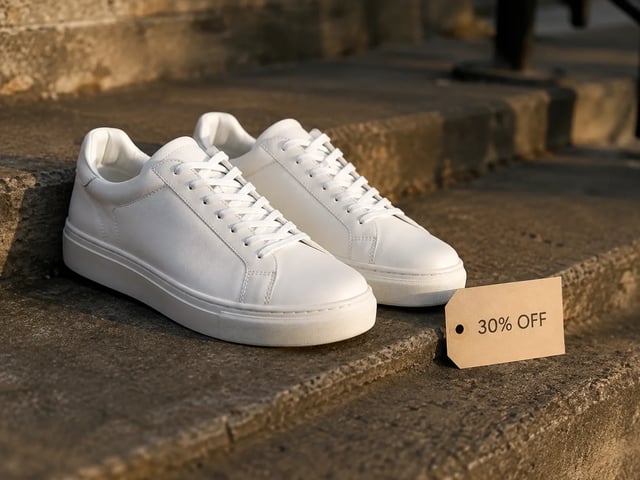
  • Performance-Ad-Still — weiße Sneaker mit 30% OFF-Tag, golden hour

    Performance Creatives

    Dreh Ad-Heroes mit unterschiedlichen Offer-Zeilen im gleichen Layout. Grok Imagine Image 2.0 hält Typo lesbar, damit A/B-Stills im Ad Account fertig wirken.

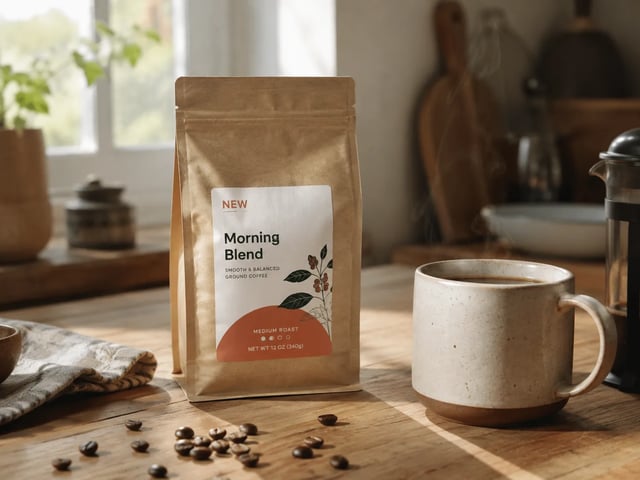
  • Brand-Revisions-Still — Kaffeepack mit NEW-Badge auf Küchentisch

    Brand-Marketing-Pods

    Liefere die Stakeholder-Korrektur, ohne die ganze Komposition neu zu machen. Lade den Entwurf hoch und korrigiere per Bild-zu-Bild Badge, Requisite oder Hintergrund, den sie genannt haben.

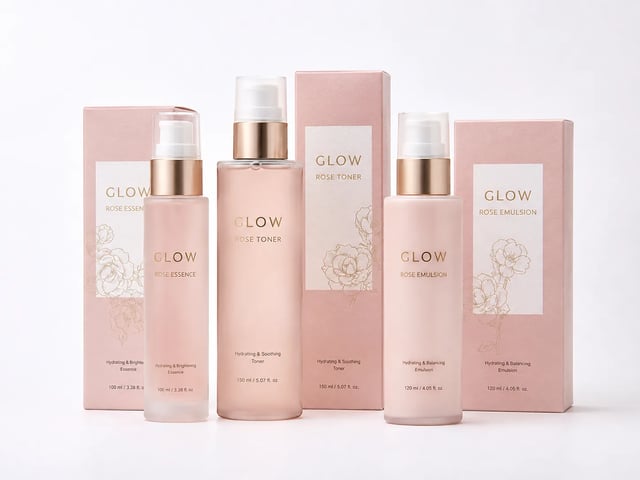
  • Ecommerce-Pack-Familie-Still — passendes GLOW-Skincare-Set

    Ecommerce-Merch-Leads

    Baue Pack-Fronten und Listing-Kacheln, die Palette und Produktidentität teilen. Behalte Grok Imagine Image 2.0 ausgewählt, damit das Set wie eine Marke liest.

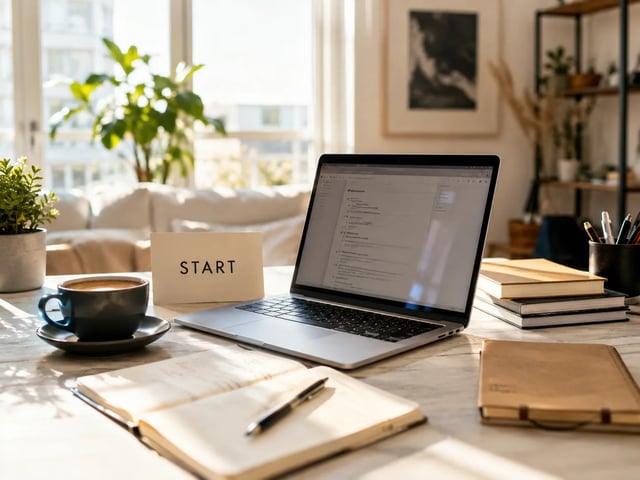
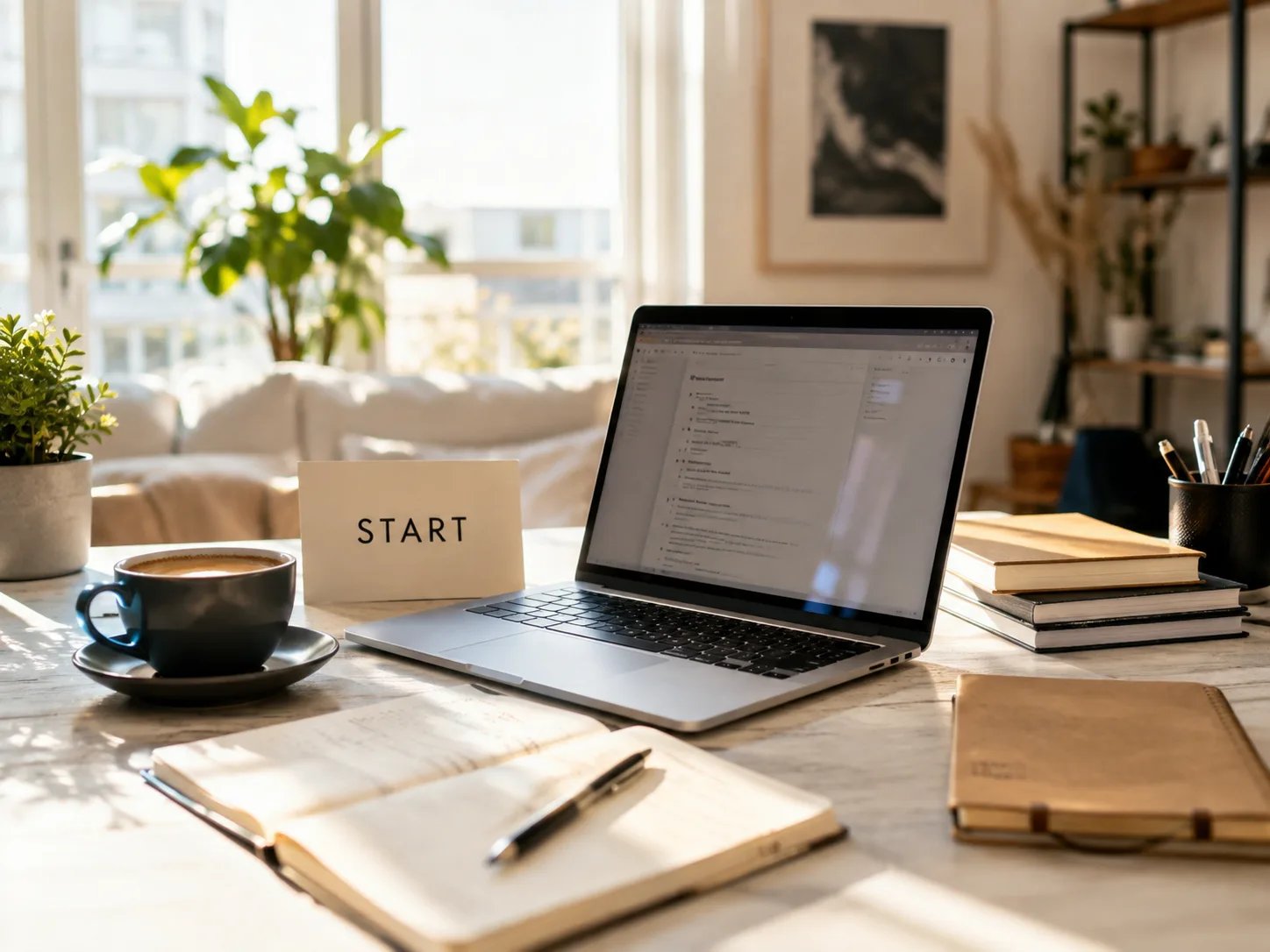
  • Founder-Landing-Still — sonniger Schreibtisch-Workspace mit START-Karte

    Growth Founders

    Entwirf Landing-Heroes und Deck-Cover ohne Design-Hire. Starte kostenlos auf Imagine Image und zahle, wenn Volumen oder kommerzielle Lizenz zählt.

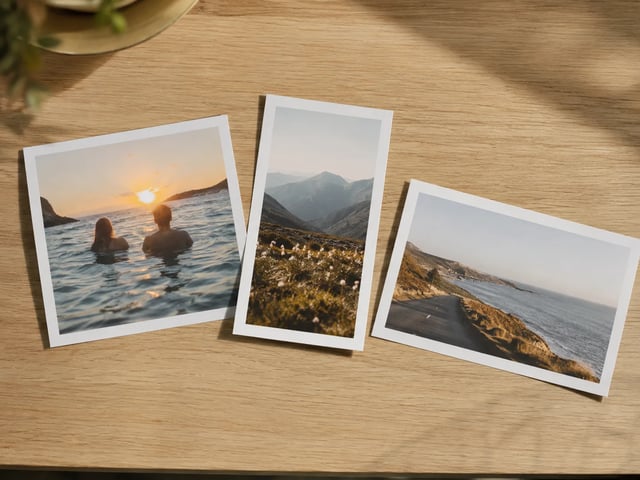
  • Multi-Ratio-Kampagnenprints auf Eichentisch

    Social Content Leads

    Decke 1:1 Feed, 9:16 Story und 16:9 Deck aus einem Grok Imagine Image 2.0 Konzept ab. Imagine Image hält den Thread, damit Crops nicht über Desktops verstreuen.

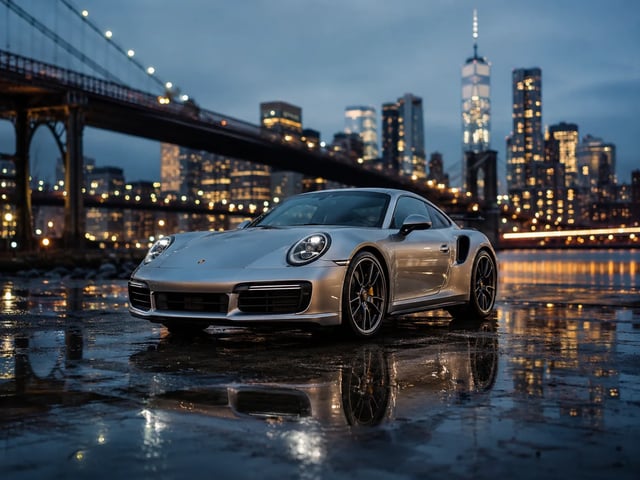
  • Agency-Pitch Key Visual — silberner Sportwagen zur blue hour

    Agency Pitch Teams

    Zeig einem Client am selben Tag ein fertig wirkendes Still. Lade fürs Deck herunter oder öffne die History nach Notes, ohne den Prompt aus dem Gedächtnis neu zu bauen.

Stills-Desk-Fähigkeiten

Was Grok Imagine Image 2.0 auf Imagine Image betont

  • Lesbarer Text in Kampagnenbildern

    Grok Imagine Image 2.0 ist am stärksten, wenn die Vorgabe Headlines, Preisschilder oder UI-Labels enthält. Schreib diese Wörter in den Prompt, damit das Still in Deck oder Ad-Slot gehen kann.

  • Gezielte Bild-zu-Bild-Revisionen

    Lade ein fast fertiges Bild und ändere einen Bereich — Badge, Hintergrund oder Requisite — während der Rest hält. Das ist die Alltagsschleife, für die dieser Desk gebaut ist.

  • Multi-Tile-Sets, die markenkonform bleiben

    Iteriere Prompts mit ausgewähltem Grok Imagine Image 2.0, damit Palette, Motiv und Typo-Sprache über Karussell-Kacheln und SKU-Familien verwandt bleiben.

  • Text-zu-Bild und Bild-zu-Bild zusammen

    Starte von leerem Prompt oder Referenzfoto im selben Generator. Keine zweite Installation und kein separates Konto, nur um ein Kampagnen-Still umzustylen.

  • Andere Modelle, ohne /image zu verlassen

    Grok Imagine, GPT Image 2, Nano Banana und mehr bleiben im Picker, wenn ein Entwurf einen anderen Look braucht. Grok Imagine Image 2.0 bleibt Hausstandard für Arbeit mit dichten Layouts.

  • Fehlgeschlagene Läufe erstatten Credits automatisch

    Timeouts, Serverfehler oder Filter geben Credits zurück. Du gibst nur für Stills aus, die du wirklich erhältst.

FAQ zu Grok Imagine Image 2.0 auf Imagine Image

Was ist Grok Imagine Image 2.0 auf Imagine Image?

Grok Imagine Image 2.0 ist das Haus-Stills-Modell auf Imagine Image. Dieser /image-Hub ist der Ort für Kampagnen-Heroes, Review-Korrekturen und Multi-Tile-Sets — öffne den Generator oben, um kostenlos zu starten.

Ist Grok Imagine Image 2.0 kostenlos testbar?

Neue Konten bekommen kostenlose Credits, um den Stills-Desk zu öffnen. Zum Start ist keine Kreditkarte nötig. Kaufe mehr Credits oder abonniere, wenn Volumen oder kommerzielle Lizenz zählt.

Kommt Grok Imagine Image 2.0 mit Text im Bild gut klar?

Ja — das ist ein Kerngrund, warum es hier Standard ist. Setze exakte Wörter in den Prompt für Poster, Packs und UI-Mockups. Ergebnisse variieren mit Länge und Sprache; iteriere zuerst kurze Labels.

Wie funktionieren Bild-zu-Bild Review-Korrekturen?

Lade ein Referenz-Still hoch, beschreibe nur den Bereich, den du ändern willst, und starte mit ausgewähltem Grok Imagine Image 2.0. Der Rest der Szene sollte näher am Original bleiben als bei einem kompletten Neulauf.

Kann ich für Ads und Client-Arbeit exportieren?

Bezahlte Pläne enthalten kommerzielle Lizenz für Ads, Produkte und Kundenlieferungen. Stills im kostenlosen Kontingent sind für persönliche Tests, sofern dein Plan nichts anderes sagt — prüfe die Legal-Seiten.

Soll ich auf dieser Seite animieren?

Nein. /image ist für Stills. Wenn du einen Hero hast, der sich bewegen soll, öffne /video und nutze Grok Imagine Video (oder ein anderes Video-Modell) mit diesem Still als Startbild.

Wann sollte ich von Grok Imagine Image 2.0 wegwechseln?

Bleib bei Grok Imagine Image 2.0 für Kampagnen-Stills mit dichten Layouts. Wechsle, wenn die Vorgabe eine andere Geschwindigkeit oder Ästhetik-Familie will — der Picker behält Prompt und Referenz geladen.

Was, wenn eine Generierung mittendrin scheitert?

Credits werden bei Serverfehlern, Timeouts oder Content-Filtern automatisch erstattet. Starte neu mit klarerem Prompt oder einfacherer Bereichsbearbeitung.

Dein nächstes Kampagnen-Still mit Grok Imagine Image 2.0 erstellen

Imagine Image Stills-Desk · Text-zu-Bild · Bild-zu-Bild — kostenlos starten, ohne Karte.