限時 7 折優惠!領取優惠

Imagine Image 上的 Grok Imagine Image 2.0 行銷靜圖工作台 Grok Imagine Image 2.0

預設 Image 2.0 的文生圖與圖生圖——首版主視覺、審稿一點修改、多格套圖,都在同一素材庫。

這裡是 Imagine Image 的 Grok Imagine Image 2.0 靜圖工作台:把媒體需求變成可下載畫面,改掉審稿方點名的細節,並把變體留在同一份歷史裡。免費積分就能開台——免綁卡。只有需求要另一種風格時,再切換型號。

  • 畫面裡的標題文字保持可讀
  • 審稿後只改一處的圖生圖
  • 輪播與包裝套圖走同一條線
  • 免費積分開台——免綁卡
Grok Imagine Image 2.0 產品主視覺——左側柔和字體,右側瓷器相機雕塑
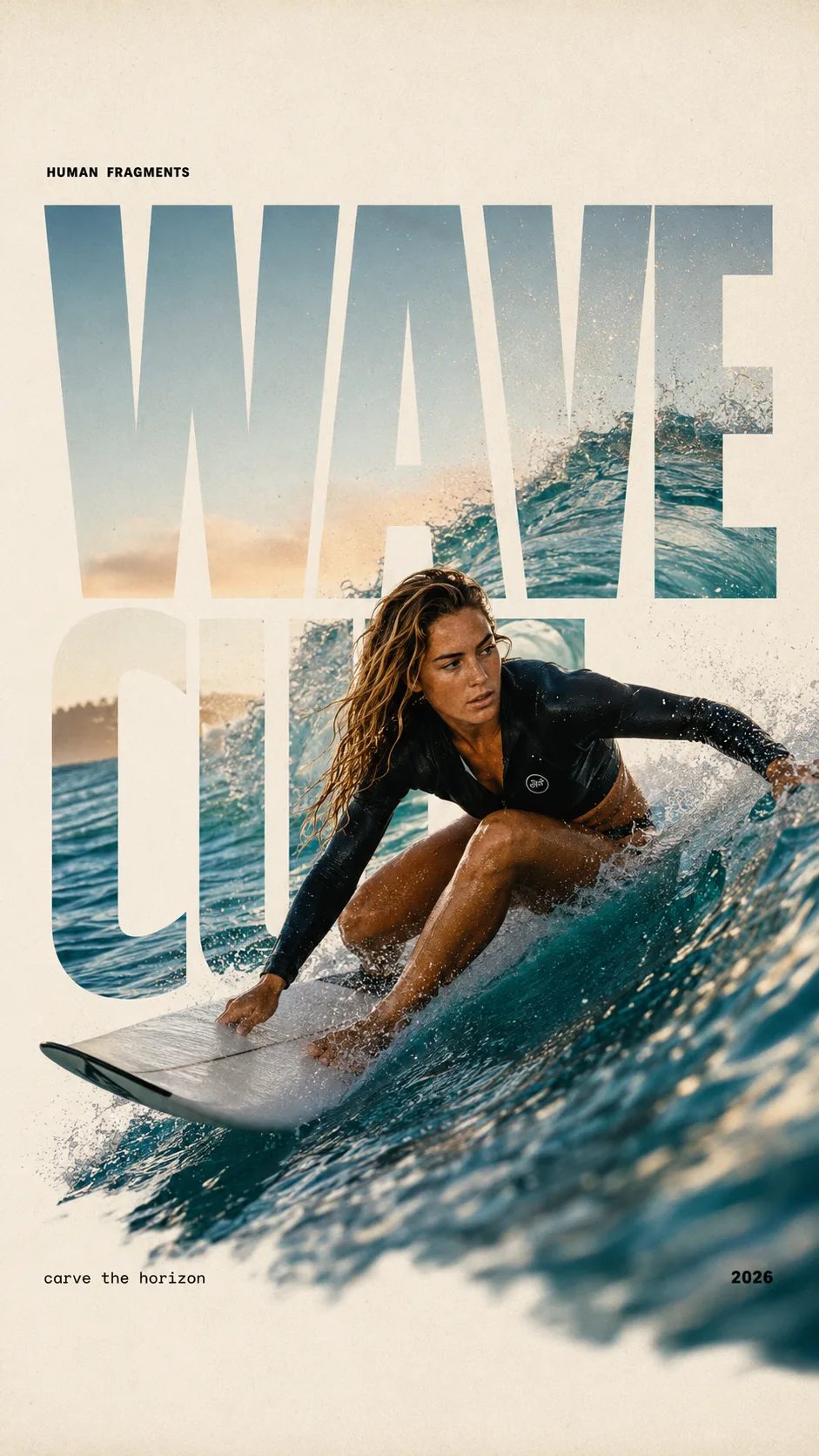
HUMAN FRAGMENTS editorial poster sample

Create a 9:16 editorial poster in the HUMAN FRAGMENTS visual system. Theme: [surfing / basketball / boxing / cake decorating] Subject: [gender, age, appearance, outfit] Action: [specific movement or handcraft] Scene: [location and environment] Title: [custom two-word title] Supporting line: [one short phrase] Year: 2026 Use oversized cropped typography as the main structural framework. The letters should act as windows that reveal the surrounding environment, while the main person remains visually complete in front of the type. Do not let the letters cut through the face, torso, arms, thighs, or other important parts of the body. Let one key action element break beyond the typography to create strong depth: 1. WAVE CUT — a surfer carving across a rising wave, with the board nose, hand, water spray, and curled wave breaking outside the letters. 2. RIM RISE — a basketball player reaching toward the hoop from a camera placed above the rim, with the basketball, hand, and hoop fully outside the letter masks and aligned naturally. 3. IMPACT FRAME — a boxer throwing a straight punch toward the camera, with the foreground glove enlarged and breaking beyond the typography while the gym remains inside the letters. 4. SOFT SWIRL — a graceful young woman decorating a cake, with the piping bag, hands, cake, and cream details extending beyond the letters while the bakery interior appears inside the type. Use realistic photography, believable anatomy, natural skin texture, strong foreground perspective, subtle paper grain, a warm off-white background, restrained colors, and clean editorial spacing. Keep the text minimal and freely placed: [Title] HUMAN FRAGMENTS [Short supporting line] 2026

Create a 9:16 editorial poster in the HUMAN FRAGMENTS visual system. Theme: [surfing / basketball / boxing / cake decorating] Subject: [gender, age, appearance, outfit] Action: [specific movement or handcraft] Scene: [location and environment] Title: [custom two-word title] Supporting line: [one short phrase] Year: 2026 Use oversized cropped typography as the main structural framework. The letters should act as windows that reveal the surrounding environment, while the main person remains visually complete in front of the type. Do not let the letters cut through the face, torso, arms, thighs, or other important parts of the body. Let one key action element break beyond the typography to create strong depth: 1. WAVE CUT — a surfer carving across a rising wave, with the board nose, hand, water spray, and curled wave breaking outside the letters. 2. RIM RISE — a basketball player reaching toward the hoop from a camera placed above the rim, with the basketball, hand, and hoop fully outside the letter masks and aligned naturally. 3. IMPACT FRAME — a boxer throwing a straight punch toward the camera, with the foreground glove enlarged and breaking beyond the typography while the gym remains inside the letters. 4. SOFT SWIRL — a graceful young woman decorating a cake, with the piping bag, hands, cake, and cream details extending beyond the letters while the bakery interior appears inside the type. Use realistic photography, believable anatomy, natural skin texture, strong foreground perspective, subtle paper grain, a warm off-white background, restrained colors, and clean editorial spacing. Keep the text minimal and freely placed: [Title] HUMAN FRAGMENTS [Short supporting line] 2026
為什麼 Imagine Image 在此預設 Grok Imagine Image 2.0

來到這裡的人,要的是今天就能放進簡報或廣告帳戶的靜圖——不是品牌故事,也不是影片渲染。Grok Imagine Image 2.0 當站內預設,是因為行銷工作需要可讀文字、可控的圖生圖修改,以及一致的多格輸出。Imagine Image 維持預選,讓你一開台就能跑;免費積分可先試一次。

| Grok Imagine Image 2.0 | 文生圖 | 圖生圖 | 行銷靜圖 | 瀏覽器圖像工作台 |

行銷流程

從需求到一張可儲存的 Grok Imagine Image 2.0 靜圖

/image 上三步——動態留給 /video。

  1. 1

    版式工作先保持 Grok Imagine Image 2.0

    型號列表預設是 Grok Imagine Image 2.0。主視覺、套圖與帶標籤的 UI 風格畫板都先用它。只有需求要另一種速度或風格系時,再切換。

  2. 2

    寫清需求——或上傳畫面再改

    文生圖:點名構圖、光線與畫面上的字。圖生圖:上傳接近定稿的靜圖,只描述要改的地方,讓其餘行銷畫面維持穩定。

  3. 3

    儲存、分比例分支,再交給動態

    下載進簡報,或重開歷史做新裁切。主視覺需要動起來時,帶靜圖去 /video 用 Grok Imagine Video——不要在靜圖工作台硬做動畫。

在 Imagine Image 上適合 Grok Imagine Image 2.0 的行銷任務

為行銷產能準備的具體靜圖產出——角色與任務都和影片工作台不同。

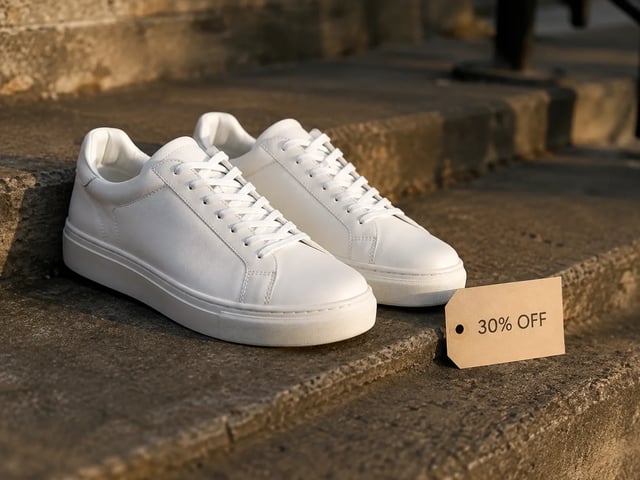
  • 成效廣告靜圖——白球鞋搭配 30% OFF 標籤,黃金時段光線

    成效廣告創意

    同一版式換不同賣點文案,快速出廣告主視覺。Grok Imagine Image 2.0 讓文字可讀,A/B 靜圖在廣告帳戶裡看起來像成品。

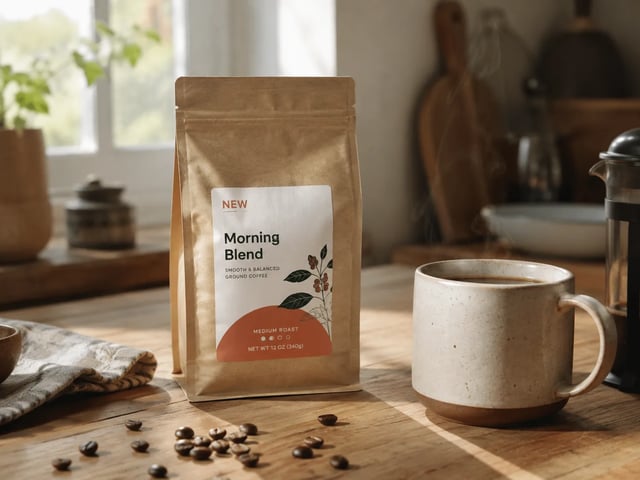
  • 品牌修改靜圖——廚房桌上的咖啡包裝與 NEW 徽章

    品牌行銷小組

    不必重做整張構圖就能交付審稿修改。上傳草稿,用圖生圖改掉他們點名的徽章、道具或背景。

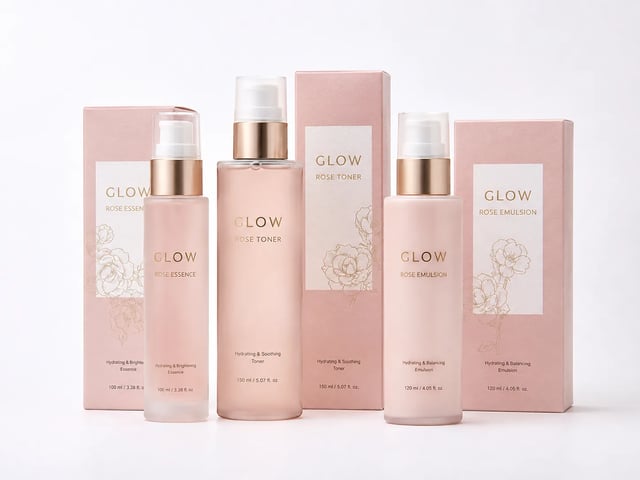
  • 電商包裝家族靜圖——成套的 GLOW 保養品

    電商商品負責人

    做共用色盤與產品識別的包裝面與列表格。保持選中 Grok Imagine Image 2.0,讓整套看起來像同一個品牌。

  • 創辦人落地頁靜圖——陽光灑落的桌面工作區與 START 卡片

    成長型創辦人

    不必先請設計,也能草擬落地頁主視覺與簡報封面。在 Imagine Image 免費開始,量或商業授權需要時再付費。

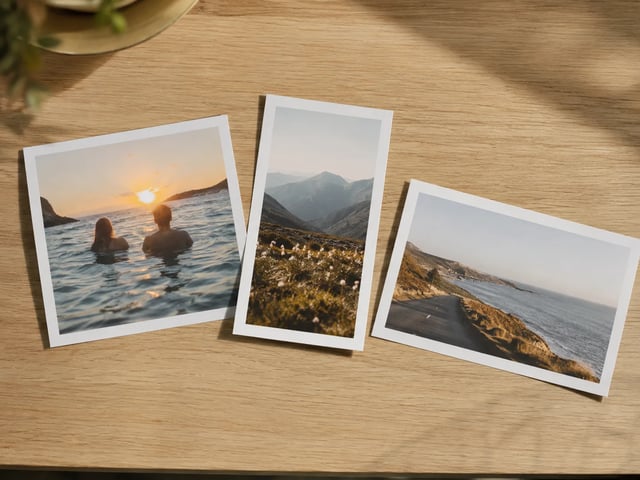
  • 多比例行銷印刷品擺在橡木桌上

    社群內容負責人

    同一個 Grok Imagine Image 2.0 概念,覆蓋 1:1 動態貼文、9:16 限時動態與 16:9 簡報。Imagine Image 留住這條線,裁切不會散落在各台電腦。

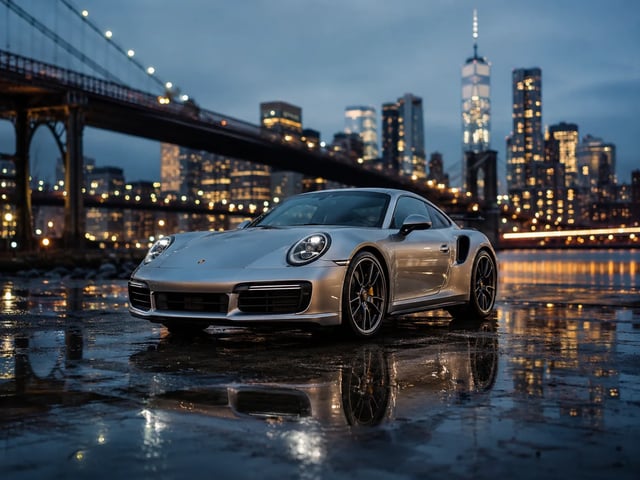
  • 代理提案主視覺——藍調時刻的銀色跑車

    代理提案團隊

    當天就給客戶一張看起來像成品的靜圖。下載進簡報,或在收到意見後重開歷史,不必憑記憶重寫提示詞。

靜圖工作台能力

Grok Imagine Image 2.0 在 Imagine Image 上更擅長什麼

  • 行銷畫面裡可讀的文字

    需求包含標題、價簽或 UI 標籤時,Grok Imagine Image 2.0 最能發揮。把那些字寫進提示詞,靜圖才能直接進簡報或廣告位。

  • 只改一處的圖生圖審稿

    上傳接近定稿的畫面,只改一個區域——徽章、背景或道具——其餘維持。這正是這座工作台日常的審稿循環。

  • 多格套圖仍像同一品牌

    保持選中 Grok Imagine Image 2.0 反覆改提示詞,讓色盤、主體與字體語言在輪播格與 SKU 家族之間彼此相關。

  • 文生圖與圖生圖同一處

    從空白提示詞或參考照片都能開始,用同一產生器。不必再裝一個軟體,也不必為了改風格另開帳號。

  • 其他型號不必離開 /image

    草稿需要另一種風格時,Grok Imagine、GPT Image 2、Nano Banana 等仍在列表裡。版式重的工作,Grok Imagine Image 2.0 仍是站內預設。

  • 失敗任務自動退還積分

    逾時、伺服器錯誤或內容過濾會退還積分。你只為實際拿到的靜圖付費。

Imagine Image 上 Grok Imagine Image 2.0 常見問題

Imagine Image 上的 Grok Imagine Image 2.0 是什麼?

Grok Imagine Image 2.0 是 Imagine Image 的站內靜圖型號。/image 工作台用來跑活動主視覺、審稿修改與多格套圖——打開上方產生器即可免費開始。

Grok Imagine Image 2.0 可以免費試用嗎?

新帳號會拿到免費積分來開靜圖工作台。開始時不需信用卡。量或商業授權需要時,再購買更多積分或訂閱。

Grok Imagine Image 2.0 處理圖內文字表現好嗎?

是——這正是此處預設它的核心原因之一。海報、包裝與 UI 樣機請把精確用字寫進提示詞。效果會隨長度與語言而異,建議先從短標籤迭代。

圖生圖審稿修改怎麼做?

上傳參考靜圖,只描述想改的區域,並保持選中 Grok Imagine Image 2.0。其餘場景應比整張重抽更接近原圖。

可以用於廣告與客戶交付嗎?

付費方案包含廣告、產品與客戶交付的商業授權。免費方案靜圖預設供個人測試,除非你的方案另有說明——請查看法律頁面。

應該在靜圖工作台做動畫嗎?

不。/image 只做靜圖。主視覺準備好要動時,打開 /video,用 Grok Imagine Video(或其他影片型號),並以該靜圖當首幀。

什麼時候該從 Grok Imagine Image 2.0 切走?

版式重的行銷靜圖就留在 Grok Imagine Image 2.0。需求要另一種速度或風格系時再切換——列表會保留你的提示詞與參考圖。

生成中途失敗怎麼辦?

伺服器錯誤、逾時或內容過濾會自動退還積分。用更清楚的提示詞,或更單純的區域修改再跑一次。

用 Grok Imagine Image 2.0 做下一張行銷靜圖

Imagine Image 靜圖工作台 · 文生圖 · 圖生圖——免費開始,免綁卡。