期間限定30% OFF今すぐ確認

Imagine Image 上の Grok Imagine Video モーションデスク Grok Imagine Video

Video 1.5 をあらかじめ選んだテキストから動画・画像から動画 — プロンプトまたは先頭フレームから短い SNS クリップ。

/video は Grok Imagine Video 向け Imagine Image のモーションデスク:商品のお披露目、SNS の掴み、ピッチの短い一場面向けの秒単位クリップ — 数分級のオフラインレンダーファームではない。動きのプロンプトを書くか、/image の静止画を先頭フレームに落とす。無料クレジットで短い試行が開く — カード不要。

  • SNS とデッキ向けの秒単位クリップ
  • キャンペーン静止画を先頭フレームとして動かす
  • 探索は 480p、ディテールが要るとき 720p
  • 開ける無料クレジット — カード不要
Grok Imagine Video プロダクトヒーロー — 左にソフトな文字、右にシルバーのレーシングヨット
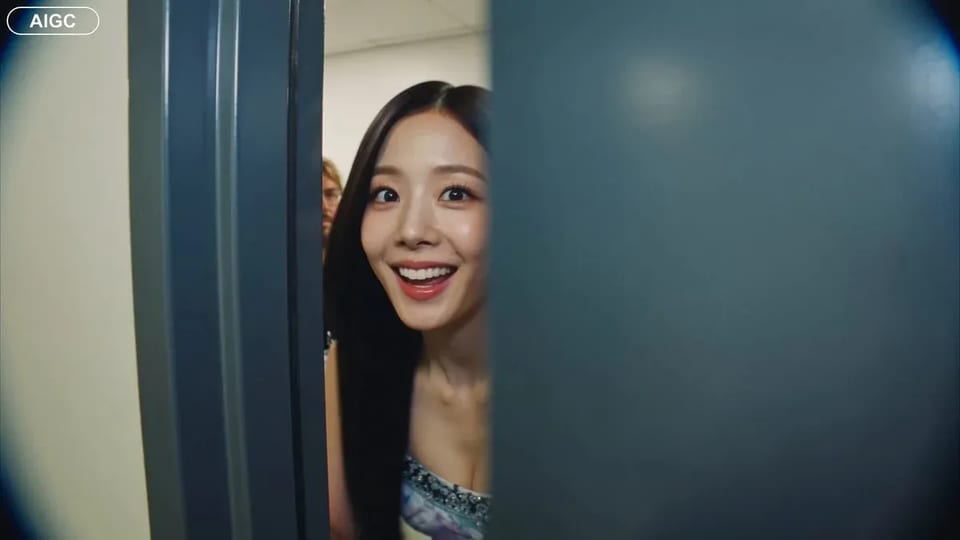
Handheld backstage idol vlog sample

CAMERA: Handheld DV 16mm camcorder aesthetic, first-person/selfie POV. CHASE always holds the camera. Natural hand shake, imperfect framing, delayed autofocus, clumsy zooms, occasional face cropping. The camcorder is never visible. LOOK: Soft vintage DV tape quality with slight blur, subtle tape noise, mild highlight bloom, flickering auto-exposure, muted contrast, natural skin tones. STYLE: Bright, playful K-pop idol vlog. Genuine smiles, eye contact, candid energy, quick handheld shots with backstage excitement. CHARACTER: CHASE, Korean female idol in her 20s. Long straight black hair, dewy skin, elegant Korean features, coral lips, large eyes, slim curvy figure. Wearing a stylish stage outfit with subtle glam makeup and sparkly earrings. SETTING: Backstage hallway of a music show studio with dressing room doors, CHASE's name tag on one door, snack table, overhead PA speaker, and blurred staff passing by. SEQUENCE: 1. Selfie: peeks into the hallway. "Hey guys, we're backstage!" 2. Whip pan down the corridor. "This hallway is so long!" 3. Stops at her dressing room, points at her name tag. "That's me!" 4. Close-up of the name tag as she taps it. Ambient audio only. 5. Quick outfit check with a spin near a mirror. "How do I look?" 6. At the snack table, grabs a snack. "Don't mind if I do." 7. Mid-bite, PA announcement interrupts. She laughs: "Wait—" 8. Selfie ending: hears the countdown, waves, makes a hand heart, then runs toward the stage. "That's my cue—see you after the stage!"

CAMERA: Handheld DV 16mm camcorder aesthetic, first-person/selfie POV. CHASE always holds the camera. Natural hand shake, imperfect framing, delayed autofocus, clumsy zooms, occasional face cropping. The camcorder is never visible. LOOK: Soft vintage DV tape quality with slight blur, subtle tape noise, mild highlight bloom, flickering auto-exposure, muted contrast, natural skin tones. STYLE: Bright, playful K-pop idol vlog. Genuine smiles, eye contact, candid energy, quick handheld shots with backstage excitement. CHARACTER: CHASE, Korean female idol in her 20s. Long straight black hair, dewy skin, elegant Korean features, coral lips, large eyes, slim curvy figure. Wearing a stylish stage outfit with subtle glam makeup and sparkly earrings. SETTING: Backstage hallway of a music show studio with dressing room doors, CHASE's name tag on one door, snack table, overhead PA speaker, and blurred staff passing by. SEQUENCE: 1. Selfie: peeks into the hallway. "Hey guys, we're backstage!" 2. Whip pan down the corridor. "This hallway is so long!" 3. Stops at her dressing room, points at her name tag. "That's me!" 4. Close-up of the name tag as she taps it. Ambient audio only. 5. Quick outfit check with a spin near a mirror. "How do I look?" 6. At the snack table, grabs a snack. "Don't mind if I do." 7. Mid-bite, PA announcement interrupts. She laughs: "Wait—" 8. Selfie ending: hears the countdown, waves, makes a hand heart, then runs toward the stage. "That's my cue—see you after the stage!"

モーションデスク — キャンペーン静止画ページではない

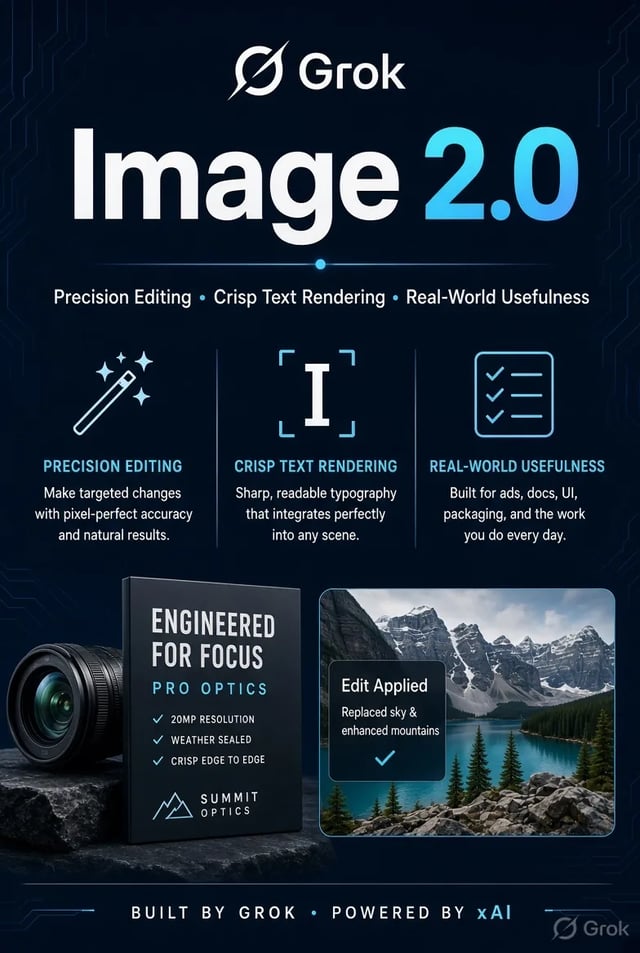
ここに来る人は短いオンライン動画向け:商品のお披露目、SNS の掴み、動かす必要のある絵コンテのひとコマ。Grok Imagine Video が既定なのは、ブラウザでテキストまたは先頭フレームのクリップ向けだから。読める文字のあるヒーローが要るなら、まず /image で Grok Imagine Image 2.0 の静止画を作り — 戻ってここから動かす。

| Grok Imagine Video | テキストから動画 | 画像から動画 | 先頭フレーム動画 | 短い AI 動画 |

クリップの流れ

モーション要件からダウンロード可能な Grok Imagine Video クリップへ

/video での3手 — 静止画は /image のまま。

  1. 1

    速さのために Grok Imagine Video から

    選択リストは短いテキストから動画・画像から動画向けに Grok Imagine Video 1.5 で開く。別の見た目や尺の枠が要るときだけ Veo や Seedance へ。

  2. 2

    動きを書く — または先頭フレームを落とす

    テキストから動画ではアクションとカメラを書く。画像から動画では静止画(多くは /image から)を上げ、動かす部分だけ説明して冒頭フレームをブランドどおりに保つ。

  3. 3

    下書きは 480p、仕上げは 720p

    タイミングを探るあいだは 480p。レビュー準備ができたら 720p へ。失敗した実行はクレジットを自動返金。

Imagine Image で Grok Imagine Video が合うクリップ仕事

モーション専用の場面 — 静止画ハブとは別の人とタスク。

  • Imagine Image 上の Grok Imagine Video 用に再利用したショートフォーム・モーションコンセプト静止画

    ショートフォーム編集者

    撮影日なしで 3〜8 秒の掴みとトランジションを切る。Grok Imagine Video は今夜要るクリップ向けで、フルエピソードのレンダーではない。

  • Grok Imagine Video 向け商品お披露目・モーションコンセプト静止画

    商品ローンチチーム

    パッケージ静止画を短いお披露目に:パン、光のパルス、やわらかい商品回転。画像から動画が先頭フレームをブランドどおりに保つ。

  • Grok Imagine Video 向け有料ソーシャル・モーションコンセプト静止画

    有料ソーシャルプロデューサー

    同じオファーのモーションバリエーションを試す。480p で安く下書きし、広告アカウント向けに 720p カットを固定。

  • Grok Imagine Video アニマティック向けプリビズ風静止画

    プリビズ / アニマティックリード

    絵コンテ静止画を動かし、フル CG の前に監督がテンポにコメントできるようにする。場面は短く意図的に。

  • Grok Imagine Video 向けレッスン解説モーションコンセプト

    コース制作者

    図解静止画を短い解説のひとコマに動かす。画像から動画が教える画面を親しみやすく保ちつつ、動きで注意を運ぶ。

  • Grok Imagine Video 向け代理店ピッチ・モーションコンセプト

    代理店ピッチチーム

    フル制作を組まずにキーフレームがどう動くかをクライアントに見せる。当日クリップをダウンロードし、フィードバックから反復。

モーション能力

Grok Imagine Video デスクが重視すること

  • 設計から短いクリップ

    Grok Imagine Video 1.5 は秒単位のオンライン動画向け。長いシーケンスが要るならクリップをつなぐ — ここは数分級のオフラインスイートではない。

  • 先頭フレームの画像から動画

    静止画を上げて動きを説明する。冒頭は写真に近く、残りが動く — /image で Grok Imagine Image 2.0 の静止画を磨いたあとに理想的。

  • 480p 下書き、720p レビューカット

    480p は安い探索経路。クライアントや SNS レビューにディテールが要るとき 720p は秒あたりコストが上がる。無料クレジットは標準ティアの短いスタートをカバー。

  • 平易な言葉でのテキストから動画

    被写体、動き、カメラを名指しする。別の xAI アカウントやデスクトップインストールは不要 — 生成はブラウザ作業空間で走る。

  • Veo と Seedance はワンクリック先

    ショットに別のサイト内モデルが要るとき、プロンプトを別サイトに貼らずに切替え。速い初回カットの既定は Grok Imagine Video のまま。

  • 失敗したクリップは自動返金

    タイムアウト、サーバーエラー、フィルタはクレジットを返す。受け取ったクリップにだけ使う。

Imagine Image 上の Grok Imagine Video FAQ

Imagine Image の Grok Imagine Video とは?

Grok Imagine Video は Imagine Image のサイト標準モーションモデル。短いテキストから動画・画像から動画にはこの /video ハブ;先に静止画が要るときは /image で Grok Imagine Image 2.0 を使う。

Grok Imagine Video のクリップはどのくらいの長さ?

Grok Imagine Video 1.5 は短いオンラインクリップ向け — 実行設定によりおおむね秒単位。長い話は複数クリップを生成してつなぐ。

/image で作った写真から始められますか?

はい。静止画を書き出すか開き直し、/video を開き、先頭フレームとしてアップロードし、動きを説明する。その画像から動画の経路が静止画デスクからの想定の受け渡し。

480p と 720p — どちらを先に?

タイミングとカメラを探るあいだは 480p から。SNS やクライアントレビューの準備ができたら 720p。高解像度は秒あたりクレジットが増える。

Grok Imagine Video は無料で試せますか?

新規アカウントは標準ティアの短い実行をカバーできる無料クレジットを得ます。開始にクレジットカードは不要。量と商用ライセンスには追加購入またはサブスク。

いつ Grok Imagine Video から Veo や Seedance へ切替えますか?

速い初回カットと先頭フレームアニメーションは Grok Imagine Video 1.5 のまま。別モデルの見た目や尺の枠が要るときに切替え — 選択リストはプロンプトと参照を保持。

ここはフル動画編集ソフトの代わりになりますか?

いいえ。ダウンロードして編集ソフトで仕上げる短いクリップを生成します。掴み、お披露目、プリビズの短い一場面 — カラーグレーディング、マルチトラック音声、長編編集ではない。

レンダーが失敗したら?

サーバーエラー、タイムアウト、コンテンツフィルタではクレジットが自動返金。クリップを短くし、動きを単純にし、長い 720p の前に 480p を試す。

次の短いクリップを Grok Imagine Video で

Imagine Image モーションデスク · プロンプトまたは先頭フレーム · 登録クレジットで無料開始。